PROCEDURAL PAPER MOTION STUDIO

Make paper animations
from photos and words.

Transform photography, editorial headlines, and broadsheets into physically modeled paper cutouts, investigative newspaper reveals, and hot-foil press animations. Powered by real-time GPU physics and transparent ProRes 4444 alpha exports for your timeline.

60 FPS GPU Physics 100% In-Browser Privacy ProRes 4444 Alpha
PAPER MOTION PREVIEWHOVER OR CLICK
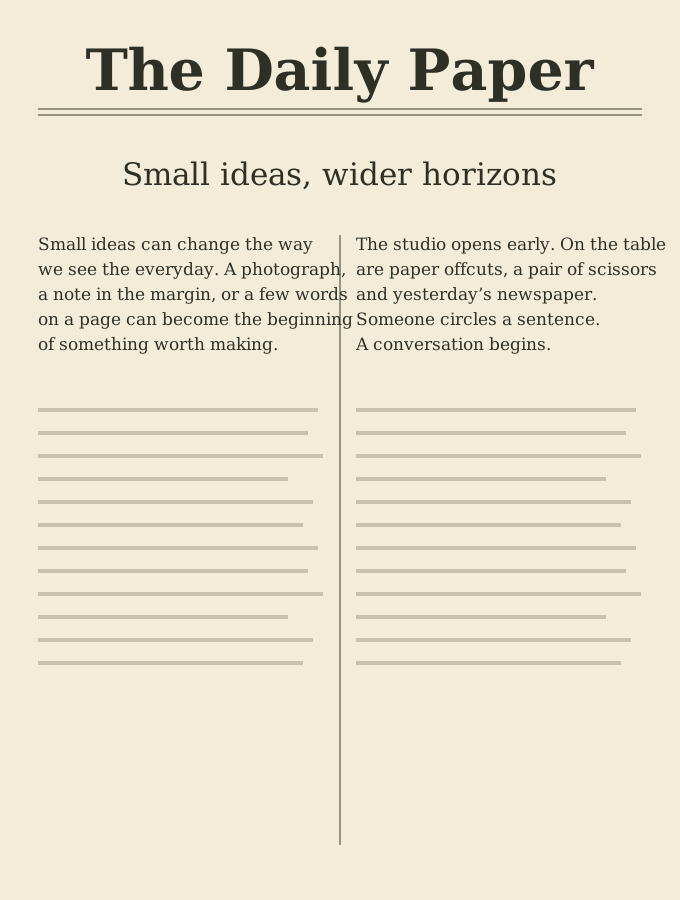
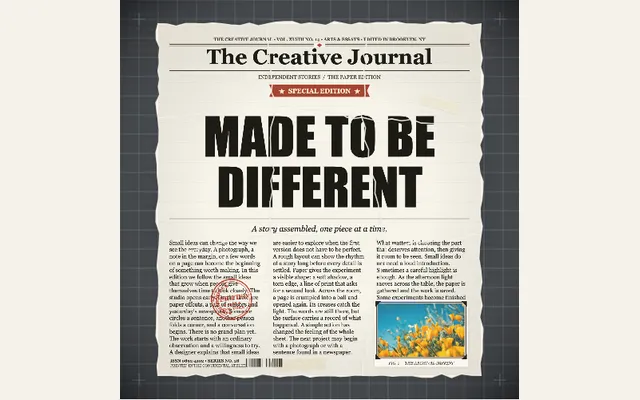
Authentic broadsheet newspaper page turn animation preview
made to
move.
cut, fold, play. β†—
Hover or click to preview
ENGINEERED FOR EDITORS INPremiere Pro✳DaVinci Resolve✳Final Cut Pro✳After Effects✳CapCut Pro
EDITORIAL & PRODUCTION WORKFLOWS

Paper effects for
the work you make.

Select a production-tested motion preset, dial in the physical parameters, or launch straight into the studio with full timeline controls.

01 / MAKE A PHRASE THE PAYOFF

Turn a quote search into a reveal

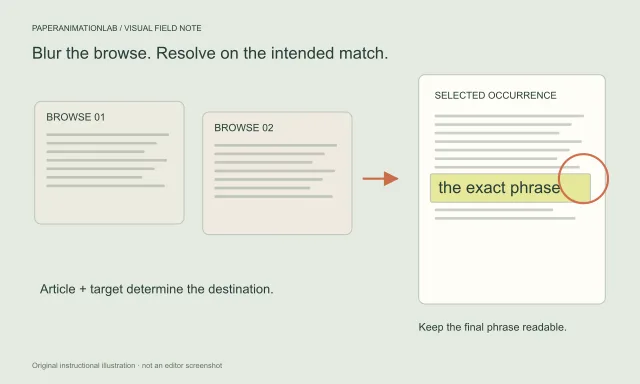
For a documentary-style edit or explainer, add your own article and target phrase. The editor places that supplied text in generated newspaper layouts, blurs the surrounding print and focuses on the match; it does not search real newspaper archives.

Build a newspaper search
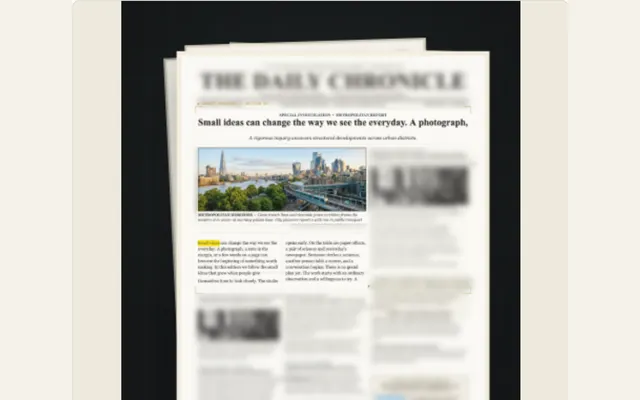
INVESTIGATIVE BROADSHEET ENGINE

Find the words.
Move the paper.

Procedurally scan multi-page broadsheet archives, search and highlight investigative quotes, or match-cut typography across vintage newspaper layouts with authentic curled page-turn physics. Select any card to explore its full live animation and interactive timeline.

PHYSICAL PAPER SIMULATION

Signatures built with
real tactile physics.

Procedural deckle tears, 16-facet origami folds, and 600gsm cotton letterpress with 24K hot foil glints. Hardware-accelerated WebGL physics running locally in your browserβ€”no heavy plugins, no render queues.

Explore all paper effects
PRODUCTION WORKFLOW

Less figuring out.
More making.

Every preset gives you a functional baseline with built-in assets and dials. Drop in your own photography or copy, tweak the physical parameters, and inspect the playback live before exporting.

60 FPS Real-time GPU 100% Client-Side Privacy ProRes 4444 Alpha
Open the studio
Runs in Chrome, Safari & Edge Β· No render queue Β· Zero cloud uploads
01
PHASE 01 / INPUT

Import your asset

Drop in your raw photo, punch in a headline, or grab a starter sample. You never have to stare at an empty frame.

JPG, PNG, WebPTransparent Alpha CutoutsEditorial Samples
02
PHASE 02 / TUNE

Customize the motion

Dial in the exact feel: torn deckle edges, page flip speed, marker highlights, or camera sweeps. Test it directly in vertical 9:16 or widescreen 16:9.

Torn Paper Edges3D Mesh CreasesDeboss & Foil Glints
03
PHASE 03 / EXPORT

Make it yours. Take it with you.

Grab a high-res still, an infinite loop, or a transparent video pass. Save your project file locally whenever you want to revisit it later.

ProRes 4444 AlphaWebM TransparentLossless PNG ZIP
INTERACTIVE WORKBENCH

Try the workflow before opening the studio.

Swap out a sample line and watch the real-time simulation update instantly. The full studio unlocks custom image cutouts, granular physics sliders, and multi-format exports.

Live Physics Sandbox Β· Zero Latency
TRY A SMALL EXAMPLE

Change it. Preview it. Make it yours.

This simplified illustration shows the workflow. Open the full studio to upload your image, use the complete effects and export.

1. Choose a starting point
Open this workflow in the studio β†—
LIVE HTML / CSS EXAMPLE Β· NO VIDEO
Find your next ideaOne phrase in focus. Surrounding print stays soft.
Ready β€” press Play to see the transition
MADE FOR WORK THAT REPEATS

For the next edit, and the one after.

When paper textures and print motifs are a staple of your channel or client work, having an editable studio baseline saves hours on every project.

01 / PRODUCTION

Video editors and production teams

Craft repeatable paper cutout intros, animated newspaper quote finds, or tactile chapter dividers. Save your project file so you can drop in fresh client assets or updated lines without starting from scratch.

Plan a paper animation for an edit
02 / CREATORS

Creators and social media teams

Spice up your vertical Reels and Shorts with punchy text match cuts, vintage magazine headlines, or animated social comment feeds. Keep your text framed perfectly for mobile screens.

Explore social comment animations
03 / AGENCIES

Brands, agencies and product businesses

Showcase new product launches through opening paper windows, dynamic torn borders, or animated collage typography. Keep your core visual identity consistent across all seasonal campaigns.

Build a paper fold-out product reveal
04 / STORYTELLERS

Educators and visual storytellers

Spotlight investigative quotes, guide viewers through historic articles, or map out travel journeys with folded paper cartography. Turn complex source material into captivating visual evidence.

Create an article-to-phrase discovery
SAAS STUDIO CONTROL DECK

What can you customize?
Everything you see.

Every animation in PaperAnimationLab is powered by our real-time in-browser physics engine. Adjust paper weights, 3D creases, foil shimmer, camera zoom depth, and aperture rings with zero server latency.

Compare all 32 animation presets
JOURNALISM & DOCS 60 FPS GPU ENGINE

Newspaper Page Turn & Research

Dhruv Rathee & Vox-style investigative document reveals

VISUAL COMPARISON:
PHYSICAL MOTION:

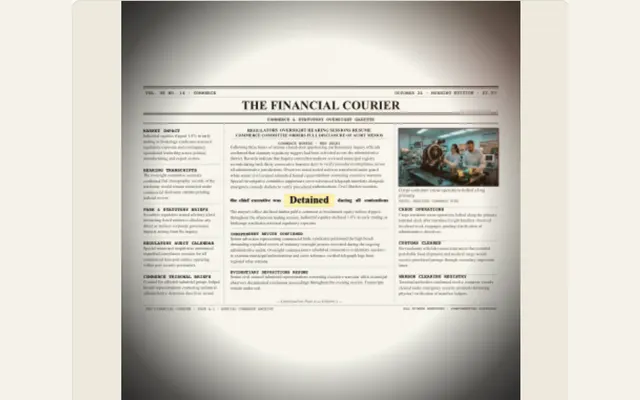
1970s Broadsheet turning with curled shadow, black circle aperture & macro zoom

STUDIO PARAMETER DECK
Camera Zoom Depth150%
Aperture Circle70%
Broadsheet Layout3-Column Classic / Tabloid Photo
Highlighter SweepNeon Fluorescent Yellow
Open in Studio
Zero upload Β· Local ProRes / 4K export
READY TO PREVIEW
READY
A newspaper page illustration with a headline and printed columns
Hover or click the preview to see it move
100% In-Browser RenderingZero cloud uploads Β· Complete client confidentiality
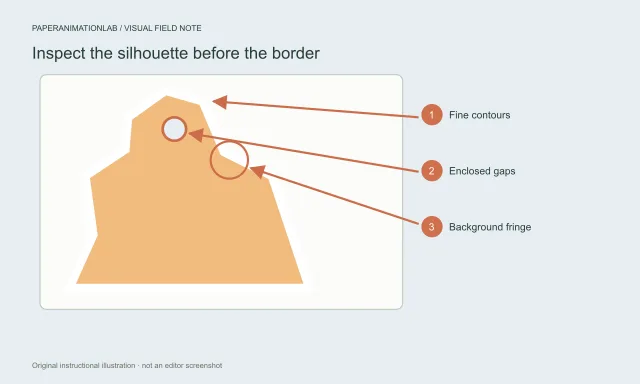
True Transparent AlphaExport ProRes 4444 & WebM with zero matte fringing
Instant Studio Presets32 production-tested workflows ready to customize
βœ‚οΈStop-motion cutout collageCutout & Collage
5 Params

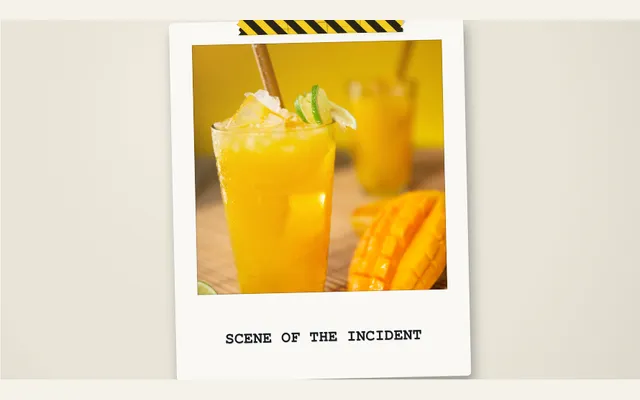
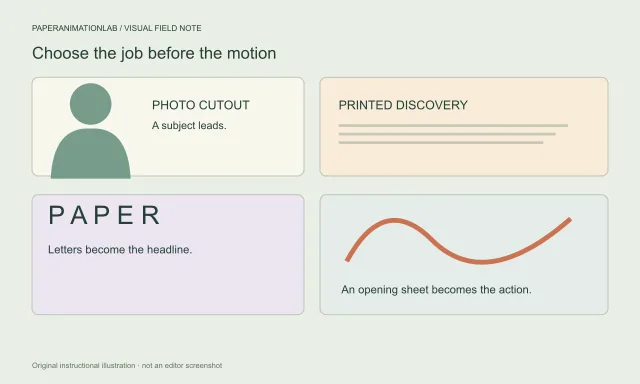
Replace the photo and headline. Choose a collage theme, workbench surface, fasteners, torn scrap layers and stop-motion frame rate.

✦ Photo Cutout✦ Deckle Tear Edge✦ Masking Tape✦ Stop-Motion FPS✦ Scrap Depth
Input: Single→Engine: Physics & Deboss→Export: 4K ProRes
✨Letterpress & hot foilArtisanal Print
5 Params

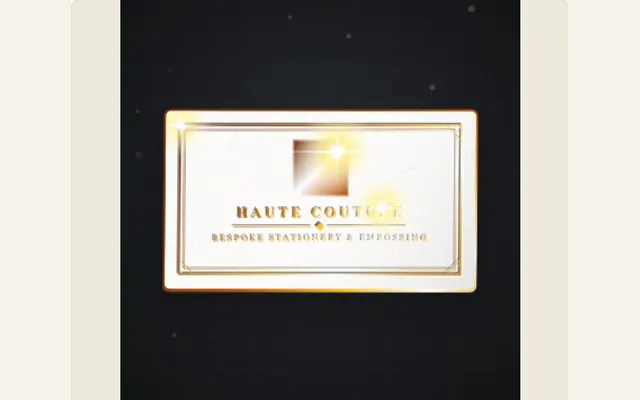
Set the stationery format and wording, then choose 600gsm cotton cardstock, platen counter-die deboss depth and metallic hot-stamp foil treatment with dynamic specular light sweeps.

✦ 600gsm Cotton Stock✦ Deboss Depth (0-2mm)✦ 24K Foil Metallic Tone✦ Light Sweep Angle✦ Blind Stamp Motif
Input: Monochrome→Engine: Physics & Deboss→Export: 4K ProRes
πŸ”₯Singed ember burn revealTactile Reveal
5 Params

Choose a radial burn hole, corner peel, rising fire wave or converging edge pattern, then adjust glowing plasma embers and drifting ash sparks.

✦ Incandescent Embers✦ Charred Carbon Rim✦ Rising Ash Particles✦ Burn Wave Speed✦ Under-Sheet Cipher
Input: Ordinary→Engine: Physics & Deboss→Export: 4K ProRes
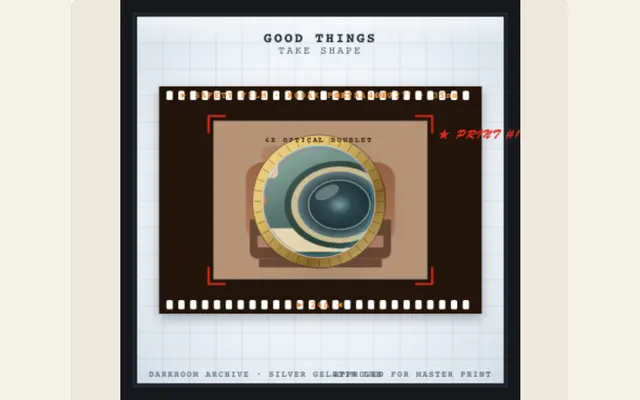
🎞️Film lightbox & optical loupePhotographic
5 Params

Upload a photo, select a 35mm film-strip, medium-format or mounted-slide layout, and edit its title, frame sprockets and sliding brass optical loupe.

✦ 35mm Sprocket Strip✦ Negative Inversion✦ Brass Optical Loupe✦ Frosted Acrylic Light✦ Grease Pencil Marks
Input: Flat→Engine: Physics & Deboss→Export: 4K ProRes
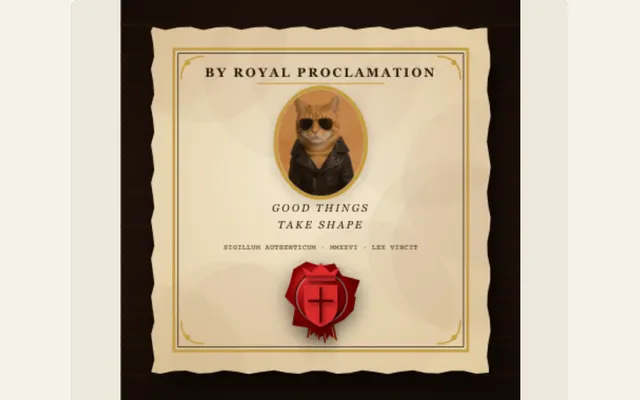
πŸ“œRoyal wax seal decreeIlluminated Manuscript
5 Params

Replace the decree portrait and proclamation title, then style molten wax puddle, turned-brass stamp die and 3D embossed heraldic seal.

✦ Molten Wax Hue✦ Brass Die Pressure✦ 3D Embossed Seal✦ Parchment Deckle✦ Gold Foil Border
Input: Plain→Engine: Physics & Deboss→Export: 4K ProRes
πŸ“Architect's cyanotype blueprintTechnical Drafting
5 Params

Use a photo and title with a Prussian cyanotype, sepia, architectural white, graph-paper or dark CAD palette with dimension callouts.

✦ Prussian Blue Tone✦ Coordinate Grid✦ White Ink Vector Lines✦ Dimension Callouts✦ Sliding Drafting Triangle
Input: Standard→Engine: Physics & Deboss→Export: 4K ProRes
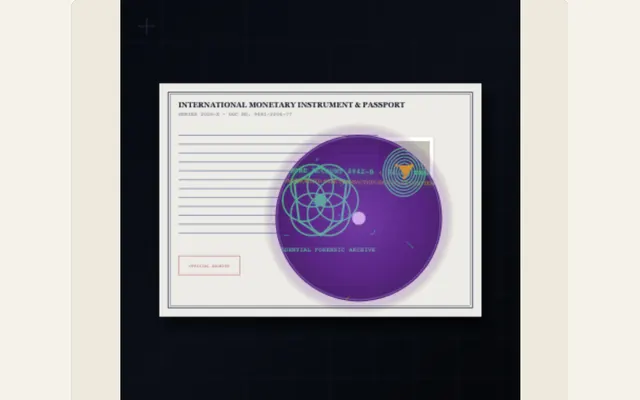
πŸ”Forensic UV blacklightForensic & Noir
5 Params

Choose a document treatment, upload a portrait and write the hidden discovery revealed by the sweeping 365nm ultraviolet torch beam.

✦ 365nm UV Torch Cone✦ Fluorescent Watermark✦ Concealed Redaction Stamp✦ Biometric Fingerprint✦ Darkroom Vignette
Input: Standard→Engine: Physics & Deboss→Export: 4K ProRes
πŸ—ΊοΈOrigami fold mapExpedition Cartography
5 Params

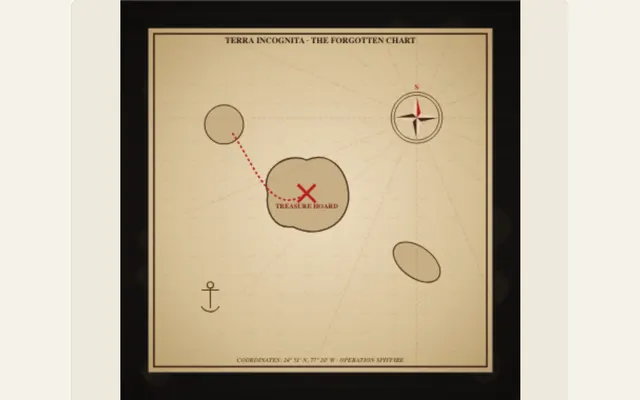
Choose parchment, alpine topographic or nautical styling. Edit the map title, location caption, elevation contours and animated ink route treatment.

✦ 16-Facet Crease Mesh✦ Topographic Contours✦ Compass Rose✦ Animated Ink Trail✦ Campaign Desk Tone
Input: Standard→Engine: Physics & Deboss→Export: 4K ProRes
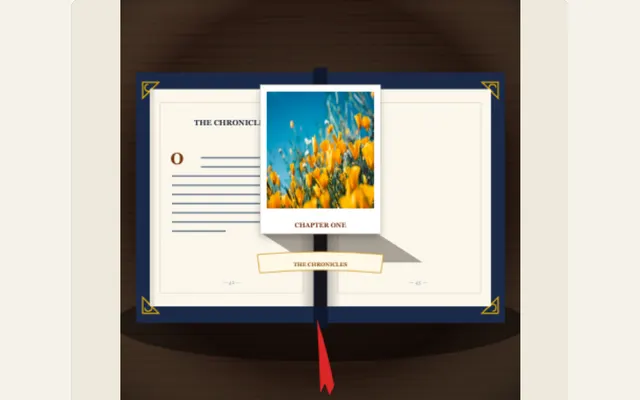
πŸ“–Victorian pop-up bookPaper Engineering
5 Params

Upload the subject that rises from the page, then edit the book title, caption, mechanical paper hinges and V-fold tabs in 3D perspective.

✦ Spine Crack Angle✦ Mechanical Paper Hinges✦ 3D Cutout Elevation✦ Hardcover Cloth Texture✦ Gilded Page Edge
Input: Flat→Engine: Physics & Deboss→Export: 4K ProRes
πŸ“ŒConspiracy corkboardTrue Crime & Noir
5 Params

Set the headline and clue, replace the evidence image, and choose a cork, noir or kraft wall with stretching crimson yarn and pushpin treatments.

✦ Evidence Pushpins✦ Taut Crimson Yarn✦ Polaroid Clue Cards✦ Corkboard Texture✦ Camera Swoop Focus
Input: Separate→Engine: Physics & Deboss→Export: 4K ProRes
🏷️Washi tape photo slapTactile Scrapbook
5 Params

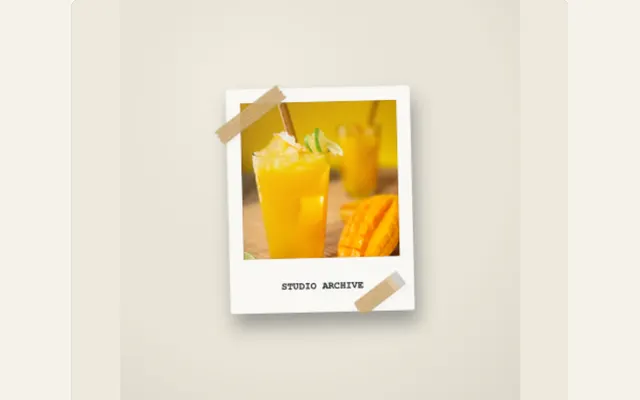
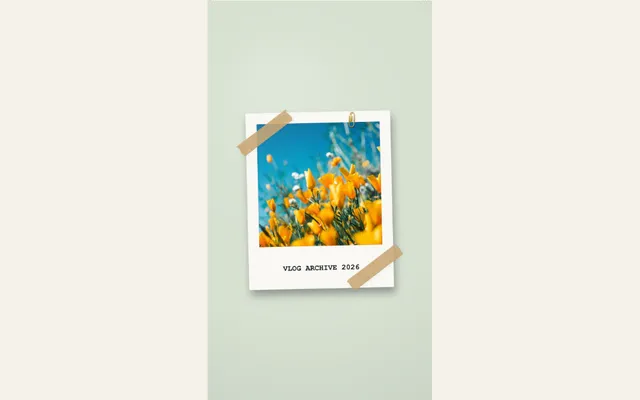
Replace the photo and caption, then choose translucent tape styling, placement angle and a bronze paperclip or pushpin treatment.

✦ Translucent Washi Tape✦ Torn Fiber Edges✦ Slap Drop Bounce✦ Bronze Paperclip✦ Polaroid Border
Input: Digital→Engine: Physics & Deboss→Export: 4K ProRes
🧾Thermal receipt rollEphemera
5 Params

Write a store or report title and itemized expenses. Set currency, paper styling, feed speed, serrated tear edge and barcode visibility.

✦ Thermal Extrusion Feed✦ Itemized Tallies✦ Serrated Paper Tear✦ Procedural Barcode✦ 3D Bottom Paper Curl
Input: Boring→Engine: Physics & Deboss→Export: 4K ProRes
πŸ“Investigative dossierTrue Crime & Noir
5 Params

Replace the evidence photo and case title, then adjust the official manila dossier presentation, slamming rubber stamp and black marker redactions.

✦ Manila File Folder✦ Red Rubber Stamp Slam✦ Black Marker Redactions✦ Paperclipped Photo✦ Classified Header
Input: Ordinary→Engine: Physics & Deboss→Export: 4K ProRes
πŸ“„Photo crumplePaper Physics
5 Params

Upload a photo and select open-and-close, uncrumple-and-hold or printed-sheet motion. Adjust 3D polygonal mesh cycles, strength, finish and background.

✦ 3D Polygon Creases✦ Squeeze Strength✦ Compression Cycles✦ Paper Fiber Finish✦ Uncrumple Timing
Input: Static→Engine: Physics & Deboss→Export: 4K ProRes
βœ‚οΈPhoto paper cutCutout & Collage
5 Params

Choose fold-out window, centre fold-out, float or fan entrance. Set the edge width, paper boil, travelling light sweep, flutter and vibration.

✦ Deckle Torn Edge✦ 3D Fold Window✦ Traveling Edge Light✦ Micro-Flutter Vibration✦ Drop Shadow Softness
Input: Normal→Engine: Physics & Deboss→Export: 4K ProRes
🌍Country atlasExpedition Cartography
5 Params

Select a country, paper theme and reveal. Add animated black borders, latitude and longitude detail, an ornate compass rose and your location caption.

✦ Country Vector Outline✦ Cartographic Texture✦ Lat/Long Coordinate Grid✦ Animated Compass✦ Border Stroke Weight
Input: Generic→Engine: Physics & Deboss→Export: 4K ProRes
πŸ”Paper magnifierInvestigative
5 Params

Write a short passage, choose a page style and set optical lens size, magnification ratio, brass handle tilt and scan duration.

✦ Optical Lens Zoom (1x-3x)✦ Brass Loupe Rim✦ Handle Tilt Angle✦ Reading Scan Track✦ Contextual Blur
Input: Dense→Engine: Physics & Deboss→Export: 4K ProRes
πŸ”¦Paper spotlightCinematic Type
5 Params

Write phrases on separate lines. Choose Studio, Noir or Paper Cut lighting and adjust circular beam treatment, travel speed and timing.

✦ Projector Beam Radius✦ Noir Feather Radius✦ Traveling Light Angle✦ Phrase Transitions✦ Dark Paper Backdrop
Input: Flat→Engine: Physics & Deboss→Export: 4K ProRes
πŸ’ŽBreaking glassCinematic Type
5 Params

Write the title sequence, select a glass style and adjust fragment count, fracture pattern, impact strength and duration.

✦ Polygon Shard Count✦ Impact Origin Point✦ Prismatic Refraction✦ Physics Shard Drift✦ Next Phrase Reveal
Input: Standard→Engine: Physics & Deboss→Export: 4K ProRes
✈️Paper flight mapExpedition Cartography
5 Params

Choose departure and destination cities, aircraft, atlas theme and route trail. Set follow-plane or whole-journey framing.

✦ Departure / Destination✦ Curved Great-Circle Route✦ Paper Plane Model✦ Atlas Projection Theme✦ Camera Tracking
Input: Static→Engine: Physics & Deboss→Export: 4K ProRes
πŸ”€Cutout letter assembleCutout & Collage
5 Params

Edit the message and line breaks. Choose scatter, drop or slide arrival, paper palette, backdrop and scatter distance.

✦ Magazine Font Mix✦ Scatter Radius✦ Stop-Motion Landing Pace✦ Paper Scrap Colors✦ Shadow Separation
Input: Boring→Engine: Physics & Deboss→Export: 4K ProRes
✏️Paper word trailInvestigative
5 Params

Supply a phrase and article containing its words. Choose circles, underlines or boxes, ink color, zoom and surrounding-text blur.

✦ Hand-Drawn Ink Circles✦ Curved Connecting Arrows✦ Camera Pan & Zoom✦ Word Search Occurrence✦ Background Print Blur
Input: Unmarked→Engine: Physics & Deboss→Export: 4K ProRes
πŸ’¬Comment reelSocial Motion
5 Params

Switch between X, Instagram and YouTube. Add names and profile photos, edit comments, choose phrase or word focus and set a transition and reading pace.

✦ Platform UI (X/IG/YT)✦ Verified Badges✦ Custom Avatar Photos✦ Keyword Highlighter✦ Card Scroll Speed
Input: Standard→Engine: Physics & Deboss→Export: 4K ProRes
πŸ™οΈPaper city route3D Paper World
5 Params

Edit the route message, city density and ink color. Choose top-down travel, smooth zoom-out or overview, then generate another city layout.

✦ Folded Rooftop Density✦ Camera Flight Altitude✦ Ink Path Color✦ Procedural City Blocks✦ Message Typography
Input: Flat→Engine: Physics & Deboss→Export: 4K ProRes
πŸ—žοΈTorn paper collageCutout & Collage
5 Params

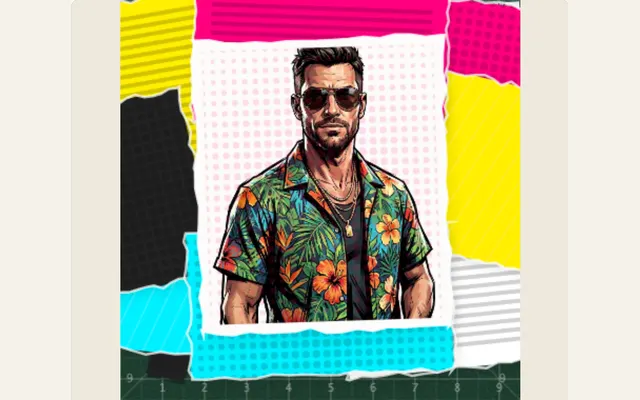
Replace the image, headline and article copy. Select the camera move and adjust the layered torn-paper composition.

✦ Torn Fragment Seams✦ Cinematic Pullback Camera✦ Swing-Around Angle✦ Headline Copy✦ Halftone Photo Texture
Input: Scattered→Engine: Physics & Deboss→Export: 4K ProRes
πŸ“°Newspaper researchBroadsheet & Journalism
5 Params

Supply an article and exact phrase. Choose its occurrence, two to six pages, page designs, paragraph spacing, blur and turn speed.

✦ Page Stack Count (2-6)✦ Distinct Newspaper Layouts✦ Aperture Circle Size✦ Zoom In Depth✦ Marker Highlighter Tint
Input: Raw→Engine: Physics & Deboss→Export: 4K ProRes
πŸ“‘Newspaper page scanBroadsheet & Journalism
5 Params

Enter article copy and a matching phrase. Choose the occurrence, scan-page count, scan speed and surrounding blur.

✦ Scanning Laser Beam✦ Multi-Page Rapid Stack✦ Fluorescent Word Lock✦ Surrounding Newsprint Blur✦ Scanline Pace
Input: Unstructured→Engine: Physics & Deboss→Export: 4K ProRes
βœ‚οΈNewspaper text cutBroadsheet & Journalism
5 Params

Enter a short phrase and choose changing newspaper designs, a cut treatment, sequence count, pace and marker color.

✦ Rapid Layout Match Cut✦ Yellow Paper-Cut Highlight✦ Shuffling Broad-sheets✦ Sequence Count✦ Marker Hue
Input: Static→Engine: Physics & Deboss→Export: 4K ProRes
πŸ“°Newspaper page turnBroadsheet & Journalism
5 Params

Edit the focal phrase and background copy. Set three to eight designs, camera zoom depth (50-260%), black circle aperture (0-100%), and cut pace.

✦ Camera Zoom Depth (50-260%)✦ Black Circle Aperture (0-100%)✦ Diverse Newspaper Layouts✦ Curled Page Shadow✦ Fluorescent Marker Sweep
Input: Plain→Engine: Physics & Deboss→Export: 4K ProRes
πŸ“°Newspaper searchBroadsheet & Journalism
5 Params

Enter your article and target phrase, choose a matching occurrence and adjust page styling, marker color and blur.

✦ Whole-Word Match Engine✦ Fluorescent Marker Sweep✦ Surrounding Text Blur✦ Vintage Paper Tone✦ Headline Focus
Input: Long→Engine: Physics & Deboss→Export: 4K ProRes
πŸ—žοΈNewspaper crumplePaper Physics
5 Params

Choose crumple ball, accordion, twist, strip scatter or piece shuffle. Edit the printed copy and tune strength, cycles and duration.

✦ 3D Crease Polygon Mesh✦ Accordion / Twist / Ball Modes✦ Headline Text Wrap✦ Compress Strength✦ Release Ease Curve
Input: Flat→Engine: Physics & Deboss→Export: 4K ProRes
πŸ”€Magazine lettersCutout & Collage
5 Params

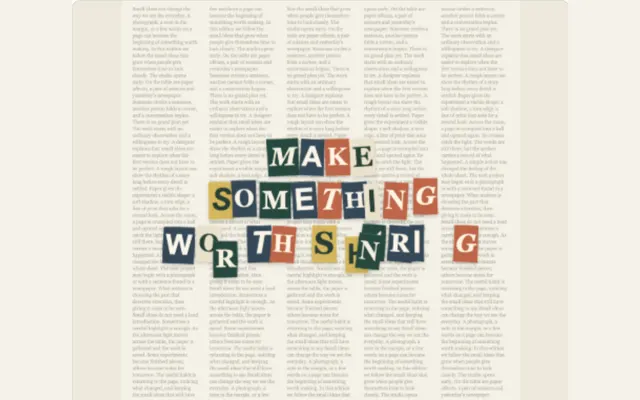
Type a short title with deliberate line breaks, then adjust the paper treatment, movement and duration while checking the final layout.

✦ Letter Collage Palette✦ Paper Deckle Edge✦ Stop-Motion Jitter✦ Per-Letter Drop Shadows✦ Layout Line Breaks
Input: Standard→Engine: Physics & Deboss→Export: 4K ProRes

Use the final video’s aspect ratio before refining the layout. Save a project file to keep its content and settings editable, and check the export formats and transparency options before compositing.

CURATED STUDIO STARTERS

Good things start
with tactile craft.

32 Motion Presets Available

Production-tested designs you can open, adjust and turn into something of your own. Select any starter to inspect its motion and open it in the studio.

Browse effects and presets
Photo subject framed by a torn white paper border with a soft shadow Texture. Depth. Movement.
PHYSICAL FIDELITY

The difference is
in the details.

Ragged deckle edges, subtle directional contact shadows, and natural sheet flutter. Fine tactile nuances that separate generic digital graphics from authentic physical print.

Custom paper textures you control

Switch between smooth bond, fibrous kraft, aged newsprint, or creased sheets. Dial in the paper fiber grain and surface roughness until it fits your scene.

Completely private & client-safe

Everything happens right inside your local browser. Your media never uploads to remote servers, and you can archive editable project files without creating an account.

Learn about paper texture and depth
PROFESSIONAL WORKFLOW COMPARISON

Engineered for editors.
How PaperAnimationLab compares.

Building paper textures traditionally means dealing with clunky third-party plugins, endless manual keyframes, and sluggish render times. PaperAnimationLab puts GPU-accelerated paper physics right at your fingertips in the browser.

Test the in-browser engine
Workflow FeaturePaperAnimationLabAfter Effects & PluginsGeneric Video Editors
Installation & Setupβœ“ Zero plugins Β· 100% in-browser WebGLMulti-gigabyte install + 3rd party scriptsApp store download with locked features
Rendering Speedβœ“ Instant 24/60 FPS GPU previewLong RAM preview caching & queueFixed low-frame preview
Transparent Exportβœ“ ProRes 4444 Alpha + WebM + PNG ZIPManual RGB + Alpha output module setupFlattened opaque backgrounds only
Client Data Privacyβœ“ 100% Local Β· Zero cloud uploadsPlugin license phone-home authenticationCloud upload required for rendering
Procedural Tactile Physicsβœ“ Physical paper tears, deboss, foil & crumpleManual mask painting & displacement mapsFlat 2D crossfades only
Cost & Accessβœ“ Free to create Β· No watermark Β· No sign-up$35–$80/mo recurring Creative Cloud subscriptionWatermarked free tier / weekly paywall
TECHNICAL DELIVERABLES

Supported export formats
& resolution specifications.

All exported clips drop straight onto your timeline in Premiere Pro, DaVinci Resolve, Final Cut Pro, or CapCut with zero matte fringing or extra keying needed.

Detailed export guide
Export CodecMax ResolutionAlpha TransparencyTarget NLE TimelineRecommended Production Use
Apple ProRes 4444Up to 4K UHD (3840Γ—2160)10-Bit Lossless AlphaPremiere, DaVinci, Final CutMaster broadcast overlays, title sequences & lower thirds
WebM (VP9)1080p Full HD / 4KTransparent BackgroundOBS Studio, Chrome, DaVinciWeb motion graphics, SaaS product demos & stream alerts
Lossless PNG SequenceNative Canvas DPI32-Bit RGBA ChannelsAfter Effects, Blender, CapCutFrame-accurate compositing & film-look stop motion
MP4 (H.264)1080p / 4K (60 FPS)Cream, kraft or custom matteTikTok, Reels, YouTube ShortsDirect social publishing, client review links & mobile explainers
Animated GIFFull aspect ratios256-color indexed transparencyEmail, Notion, Slack, GitHubFast documentation previews, product launch changelogs
FROM CLIENT WORK100+customers served through
our editing work
THE PEOPLE BEHIND THE PAPER

Built by editors who kept needing the same effects.

PaperAnimationLab was created by an active team of motion designers and video editors led by Sourabha Sahu. Across projects for more than 100 clients, we found ourselves constantly rebuilding the same paper transitions, torn edge cutouts, and broadsheet newspaper searches.

  • 100+ Production ClientsEngineered from battle-tested commercials, documentaries, and social campaigns.
  • Zero Server Latency100% in-browser GPU physics and WebGL shaders running locally on your device.
  • Direct NLE CompositingPristine alpha transparency exports ready for Premiere Pro, DaVinci, and Final Cut.

We engineered this in-browser suite to solve our own production bottlenecks and help other video editors skip tedious After Effects setups. Swap photos, restyle headlines, or adjust physics in seconds while keeping the full composition live and editable.

EDITORIAL CRAFT

Motion Techniques
& Field Notes

Practical tips and field notes on prepping clean cutout photos, timing page-flip transitions, and pulling quotes out of broadsheet archives.

Visit the paper journal
PRODUCTION KNOWLEDGE BASE

A few good
questions.

Looking for something specific?
Browse our guides and docs

DIRECT CREATOR SUPPORT

Need a custom motion design setup?

Need bespoke broadsheet layouts for a broadcast documentary, agency licensing, or custom-built animation styles?

Replies within 24 hours
support@paperanimationlab.com
How do the animation templates work?

Every preset opens a fully prepared, editable composition with built-in paper physics, textures, and lighting. You customize the scene in three straightforward steps:

  • 1. Pick a starter preset: Choose from 32 handcrafted styles like newspaper search, origami folds, or photo cutouts.
  • 2. Drop in your media: Swap out sample photos, headline titles, or article text with your own assets.
  • 3. Adjust & export: Tune physical edge roughness, fold speed, and shadow depth live before downloading your clip.

Browse all 32 editable paper effects β†’

What is the difference between Text Match Cut and newspaper search?

Both effects feature authentic printed broadsheet paper, but they serve two distinct editorial storytelling needs:

WorkflowMotion ExperienceBest Applied In
Text Match CutRapidly matches a phrase across changing vintage broadsheet designsPunchy video titles, fast YouTube hooks, short-form Reels
Newspaper SearchCamera tracks across real article text, unfolding pages and zooming into wordsInvestigative documentaries, video essays, historic deep dives

Read how newspaper matching works β†’

Can I make a transparent animation for a video editor?

Yes! Transparent overlays drop directly onto your video timeline in Premiere Pro, DaVinci Resolve, Final Cut Pro, or CapCut with zero matte fringing:

  • Transparent PNG Sequence (Recommended): Preserves pristine 32-bit RGBA alpha transparency at 30 or 60 fps for smooth NLE blending.
  • Green Screen Chroma Key: Flattens background to solid pure green for instant one-click keying in mobile video editors.
  • Cream Paper Backing: Solid archival paper color for direct standalone video cuts and social media teasers.

See the transparent overlay workflow β†’

Can I reuse an animation for another client project?

Yes. All exported motion graphics and templates include full commercial reuse rights:

  • Save Editable Project Files: Download a lightweight project file preserving all your physical sliders, layout seeds, and motion pacing.
  • Swap Client Assets in Seconds: Reopen the project file anytime, replace the photo or copy, and re-export without rebuilding from scratch.
  • Commercial Clearance: 100% unwatermarked and cleared for commercial client campaigns, broadcast documentaries, and monetized channels.

Read the asset and licensing guidance β†’

Can I really start for free?

Yes. PaperAnimationLab is completely free to use with zero friction:

  • No Credit Card or Account Required: Jump straight into the studio in your browser without logging in.
  • All 32 Motion Presets Unlocked: Full access to paper cutouts, newspaper crumples, origami maps, and letterpress.
  • Zero Watermarks: High-resolution stills, transparent PNG sequences, and videos export cleanly without watermarks.

See what the free editor includes β†’

What can I make with my own photo?

Upload any portrait, product photo, illustration, or graphic to give it tangible handmade paper motion:

  • Photo Paper Cutout: Automatic ragged deckle edges, 3D cast drop shadows, and subtle camera drifting.
  • Fold-Out & Origami Reveal: Multi-panel paper unfolding physics revealing your image from an archival fold.
  • Crumpled Sheet Unroll: Realistic 3D mesh crumpling and progressive paper flattening physics.

Upload a JPG, PNG, or WebP in the paper animation studio β†’

What formats can I download?

Exports are tailored for professional timeline compositing, web publication, and social media:

FormatTransparencyFramerateIdeal Deliverable
Still PNGFull AlphaSingle frameVideo thumbnails, print posters, editorial covers
PNG SequenceFull Alpha30 / 60 FPSPremiere Pro, DaVinci, Final Cut video overlay
WebM / MP4Solid / Chroma KeyUp to 60 FPSDirect social uploads (YouTube, Reels, TikTok)
Animated GIFOptimized Palette24 FPSEmail newsletters, documentation, web previews

Read the export format details β†’

Does my photo get uploaded anywhere?

No. Your media stays 100% private and never leaves your machine:

  • Local In-Browser Processing: All image masking, noise textures, and WebGL animations run exclusively on your device's GPU.
  • Zero Cloud Storage: We do not store, view, or process your client photos on external servers.
  • One-Click Cache Reset: Local browser storage holding your saved project can be cleared anytime in the studio.

Read how local projects are handled β†’

STUDIO ACCESS

Your next scene
starts on paper.

Pick a preset, fine-tune the paper physics, and export transparent alpha motion in seconds.

Open the Studio Instant access. Zero watermark. No sign-up required.