Text Match Cut
Keep a word or short phrase at the center while generated newspaper designs change around it. This creates an editorial match cut; it does not search a source article for the phrase.
Try this effect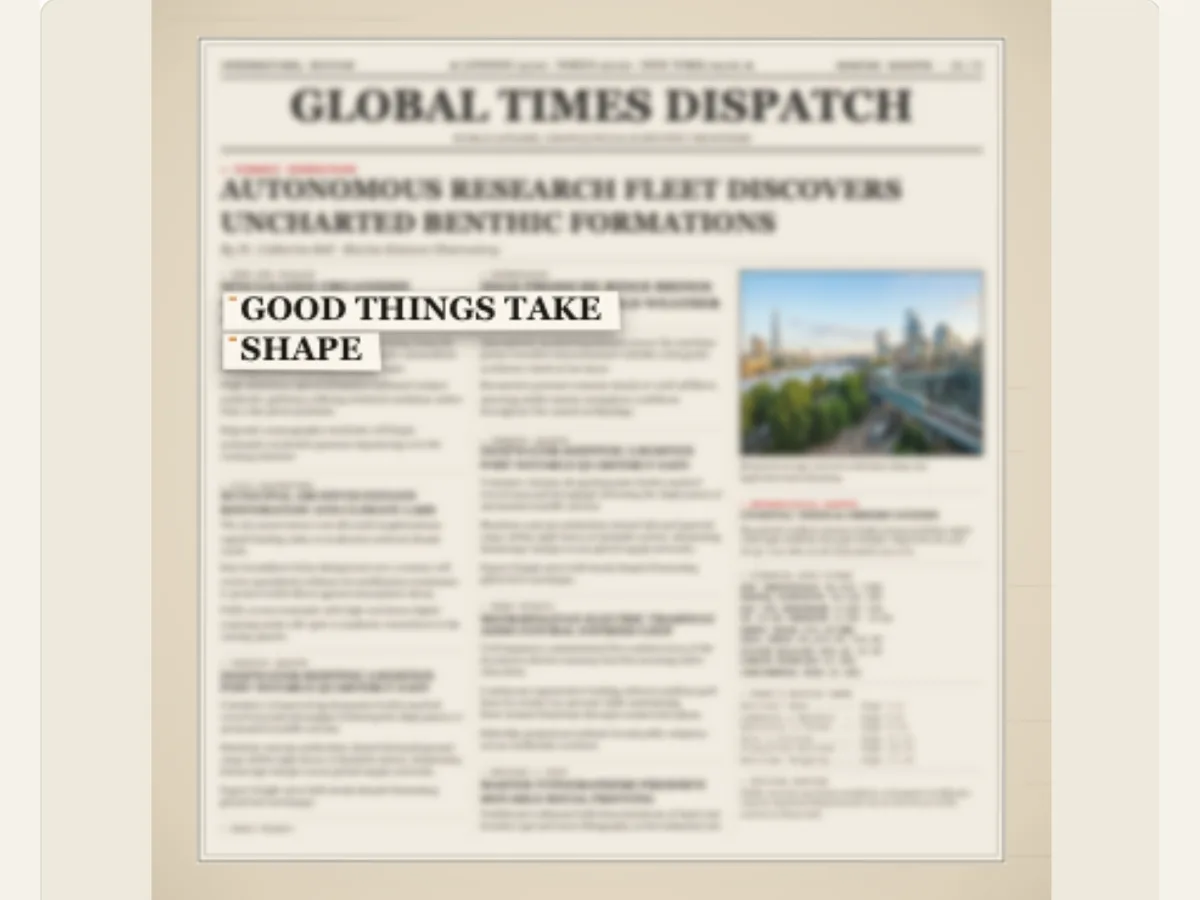
Carry one phrase through a sequence of changing pages
A match cut is effective because it allows an item within a frame to remain identifiable while the background changes. The Text Match Cut uses a small amount of text that remains in the same place (focal point) as different broadsheet layout designs are applied behind it. It may be used to establish a central idea, bridge from one chapter to another, create a transition from a news-based headline to a live-action shot, or provide a consistent editorial bumper for campaigns.
The effect is a 'fixed-center' match cut so the viewer will not misinterpret the search results as being verified and authentic. The effect is intended to hold the phrase in its current position; it is not meant to be used to find a phrase in an article or newspaper archive. The background pages of this site are editorial layout designs. To find a phrase in user-supplied content, please utilize 'Newspaper Search' or 'Newspaper Research.'
Keep the wording compact and consistent
A short word or phrase that will remain clear after each cut is what you should choose. Your choice of words is also the basis for your sequence, so a short word/phrase is more legible than a long clause-filled sentence. Look at the text on the final canvas size and review the way the lines break. If the phrase takes up too much of the screen, shorten it or create two separate sequences rather than making the text so small that it looks weak.
When selecting the layout for your pages, you should verify that capitalization, punctuation and name use are correct. You will get the most impact from a motion if the phrase reads identically across all your pages and your background doesn't interfere with the phrase. If the text used as copy is a quote, then check the accuracy of both the wording and the source. Although a centered line can still be pulled out of context, if you include other related passages in the video, then the larger passage will provide the necessary context.
Scroll sideways to compare every column →
| Choice | Alternatives | Difference on screen |
|---|---|---|
| Phrase | A short word or sentence | Sets the fixed visual anchor |
| Cut pace and count | Design changes and their timing | Sets the sequence rhythm |
Choose how many layouts change around the phrase
Cuts in Sequence can range from 2 to 6 designs. Two designs create a quick transition; six designs create a longer visual progression. When selecting the number of cuts to use, consider the point in the editing process. A short social bumper would typically only require a few changes, whereas a chapter opener can provide a longer theme with more room. Additional cuts create visual interest but will increase the amount of time the viewer must wait for the last hold.
Cut Pace allows users to select from five different options: measured, steady, quick, fast and rapid. A user can also customize the pace of their project. Measured pacing will allow for more time spent per layout. Rapid cutting can be used when a line of dialogue is short and there is high energy surrounding it in the sequence. Once you have adjusted the pace of your project, preview the last hold. If the line of dialogue appears difficult to read, either slow down the cuts or simplify the phrase prior to using additional visual effects.
Select a paper-cut treatment for the focal words
Cut Style is a way to create an illusion of cutting out text from the screen. The user can select from different ways of creating this effect. Some examples include torn edges (which emphasize the fact that the text was created on paper), marker (which creates an appearance of hand-written annotations), classified (which covers up a portion of the text), and archival tape (which creates an appearance of attaching the text to the screen). Select the cut style that works best with other elements of the video sequence, rather than selecting multiple cut styles to use in a single sequence.
Background Blur softens the surrounding print, and a marker color can help make the focal words pop. The background should remain somewhat readable so you can tell when you have turned the page. If the primary phrase is already short and bold, a light blur may work well. If a selected treatment makes the letter shapes unreadable, select an alternative rather than continuing to increase the blur until all surrounding context has disappeared.
Make page variation feel designed rather than random
The sequence can be in several formats such as classic newspaper, paper bound book, hardcover, editorial feature, or a compact journal. Paragraph spacing may vary from compact to balanced to airy. All of these options will affect the density of text and type treatment around the phrase. Using a consistent layout for each page creates a more subdued match cut; however, using different layouts will create a more distinct contrast between each subsequent page. Shuffle the layouts to see how much the surrounding areas differ from one another without altering the content of the message.
A visually similar representation of a newspaper page is created through this method, but the resulting product is not an exact reproduction of any specific newspaper. To display a factual publication, please provide appropriate source materials, along with documentation of where those sources originated. It would be best to avoid displaying the actual nameplate of a newspaper if all other content is made up. By keeping the main idea consistent across different editions, you can create the impression that the same statement appeared in each edition; however, this will not establish that the same statement actually was in each edition.
Connect two ideas without hiding the transition
A filmmaker has the option of keeping a chapter title as they switch from a historic-looking page to a modern layout, and then cut directly into the scene. The designer may choose to maintain a brand phrase as the page colors change from version to version of the campaign. Presenters can utilize the match cut as a means of transitioning between different subjects prior to using narration to explain how each is related. All three examples will benefit from having a phrase that is applicable to both the outgoing and incoming scenes.
An excellent storyboard testing technique is to stop at the point of each cut and assess if the phrase continues to be relevant to the next scene. If there is an excessive change in the original intent, you may want to develop additional title cards, or rewrite the line. The animation alone will not clarify how two scenes relate to one another. You can use a voice-over, subtitle or the following shot to establish the missing context; however, you should always maintain a consistent visual flow through the use of consistent text.
Refine the phrase and layout in a deliberate order
Select your number of designs, choose the type of cutting you would like to use; then adjust your blur, marker color, and page format. Before adjusting the speed of this process, review the whole process. If the text is becoming hard to understand, shorten the wording or simplify the background. When all of the cuts seem to look too much alike, try changing the layout or shuffling the design prior to adding more movement. This way, you don't solve a typography issue by using excessive speed.
Save a copy of your work before trying out different editing options. This will allow you to go back to the way things were set up prior to the changes. When creating content for use on social media platforms that utilize vertical videos, remember that these types of videos have a control panel and/or captions placed at the top and/or bottom. For this reason, try to place all key phrases within the central "safe" area. Also, make sure that the overall length of your video allows for a sufficient amount of time after your last point to allow viewers to absorb what was said. Finally, take note of the final aspect ratio of your video and create some space (margins) on each side of the main phrase.
Export the match cut as a still or video layer
The export options include a PNG still, GIF, web browser supported video, and a Transparent PNG sequence ZIP (at 30 frames per second with alpha channel) for this specific effect. When using editing software that can import sequences of numbered files, and requires transparency in the file format, use the image sequence option. Since video formats have a flattened alpha channel, if you are unable to use the sequence workflow, then create a green background and apply chroma-key to create an overlay. GIF files have a solid background and therefore are better suited as a single-frame preview.
The image (PNG) is able to display the text that was added after the final layout modification. Video or a sequence of images will contain the entire match cut. Import the image into your editing software, and examine the center line at the resolution you intend to output. Additionally, save your project because the order of the sequences, the speed at which they play, and how you have treated them can all be altered later. If you wish to create a cutout look like this in Motion Lab, then you should select the option called Newspaper Text Cut. However, if the text must appear within the original source material, then you should choose Newspaper Search. Finally, if you want each letter of your title to come from separate pieces of paper, then you should use Magazine Letters.
Use the right workflow for source-based research
A set phrase is not proof that the word appeared in the source article. Never call this type of search results "archives," nor should you describe the results as "authenticated quotations." When searching for quotes, always use original copy or a quote that has been verified, and give proper credit where appropriate. When doing real-world reporting, direct your audience to the original publication, while also providing adequate context to ensure the quote is not misinterpreted during the transition.
Text Match Cut is the appropriate selection when a particular string of text needs to appear visually consistent throughout several different layout designs. To find a specific phrase in an article provided by a user during a search, use Newspaper Research or the Newspaper Search effect. The Export Guide will provide you with information about how you can take a sequence created with Motion Lab and export it into your editing program.